Visitor journey
Define the start, completion and staff-assisted fallback for each task. Keep the workflow understandable for a first-time visitor and limit the information collected to the owner’s approved purpose.

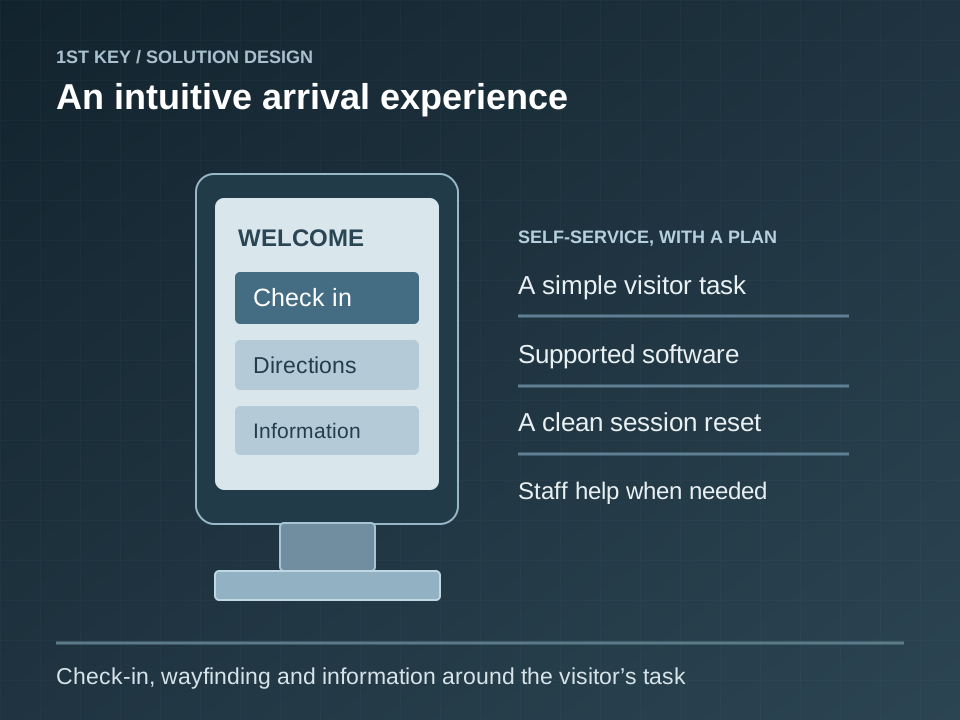
Give visitors a practical self-service experience for check-in, directions and information.
Greater Denver and the Front Range
Products, interfaces and exact scope are confirmed after reviewing the facility.
Begin with the task a visitor needs to finish. Review reach and viewing position, software compatibility, information collected, session reset, staff assistance and the supported integration path before choosing the hardware.
Test the actual visitor journey, including an abandoned session, incorrect entry and unavailable network. Coordinate mounting, accessible use, staff assistance, privacy and device administration with the owner.
Test complete visitor journeys, record software and hardware ownership, configure approved session handling and train the team responsible for updates and troubleshooting.
We confirm existing conditions and customer responsibilities before finalizing products, interfaces, tests and the documentation needed to support the installed system.
A useful design connects components, people, failure conditions and a testable handoff.
Define the start, completion and staff-assisted fallback for each task. Keep the workflow understandable for a first-time visitor and limit the information collected to the owner’s approved purpose.
Coordinate screen orientation, enclosure, mounting, viewing position, reach, power and cable protection. Confirm compatibility with any scanner, printer or other required peripheral.
Identify the application owner, supported integrations, device management and update process. Configure the approved session reset, browser restrictions and access to administrative functions.
Test a completed task, abandoned session, invalid entry and service interruption with the owner. Record the staff assistance path, troubleshooting procedure and replacement dependencies.
Five possible applications to explore during discovery. These describe capabilities and design scenarios, not completed customer projects.
Guide an office visitor through check-in and the supported host-notification workflow.
Provide a campus directory that helps visitors find a building or department.
Present hotel amenities and local information on a lobby touchscreen.
Coordinate a healthcare reception kiosk with the facility’s approved software and privacy workflow.
Give a public-serving facility a self-service information station with a clear staff-assistance option.
Our pre-site safety review, field documentation and customer acceptance process help keep the installed condition visible to the people who will operate and maintain it. For kiosks, the closeout conversation should include: Test a completed task, abandoned session, invalid entry and service interruption with the owner. Record the staff assistance path, troubleshooting procedure and replacement dependencies.
We ask for the existing drawings, device inventory, network and power ownership, known deficiencies and the people who will use the system. The final scope and acceptance criteria follow those answers.
We review the application’s supported interfaces, device requirements, permissions and vendor responsibilities. Integration is scoped after confirming compatibility with the specific platform.
The owner approves the information collected, session reset, retention and staff assistance workflow. Commissioning includes completed and abandoned sessions and the behavior during an interruption.
| Decision | What to confirm |
|---|---|
| Scope | Confirm the devices, areas and operating modes included in the work; record exclusions. |
| Dependencies | Test the actual visitor journey, including an abandoned session, incorrect entry and unavailable network. Coordinate mounting, accessible use, staff assistance, privacy and device administration with the owner. |
| Handoff evidence | Test a completed task, abandoned session, invalid entry and service interruption with the owner. Record the staff assistance path, troubleshooting procedure and replacement dependencies. |
Have a building in Colorado? 1st Key stands ready and able to help. Tell us the location and what needs attention; we will confirm service availability and scope.
Describe the facility, the existing equipment and the outcome you need. We can discuss design, deployment or service.